In the landscaping industry, your website is your digital showroom. Before a client ever requests an on-site estimate, they use your online presence to judge the quality of your craftsmanship, the scale of your projects, and the professionalism of your crew.
A high-performing landscaping website must do more than just list services – it must use high-impact imagery and intuitive galleries to help property owners visualize their own outdoor transformations. Our team analyzed hundreds of sites across the green industry to identify the top 10 examples that masterfully balance stunning visual portfolios with the lead-generation tools needed to grow a business.
From luxury hardscaping and irrigation specialists to commercial lawn care and snow removal firms, these designs set the standard for the industry in 2026.
Note on Our Selection Process: We recently audited this guide to remove outdated designs and sites that no longer meet our performance standards. This curated list now focuses on the top 10 landscaping websites providing the most strategic value in 2026.
The Top Landscaping Website Designs
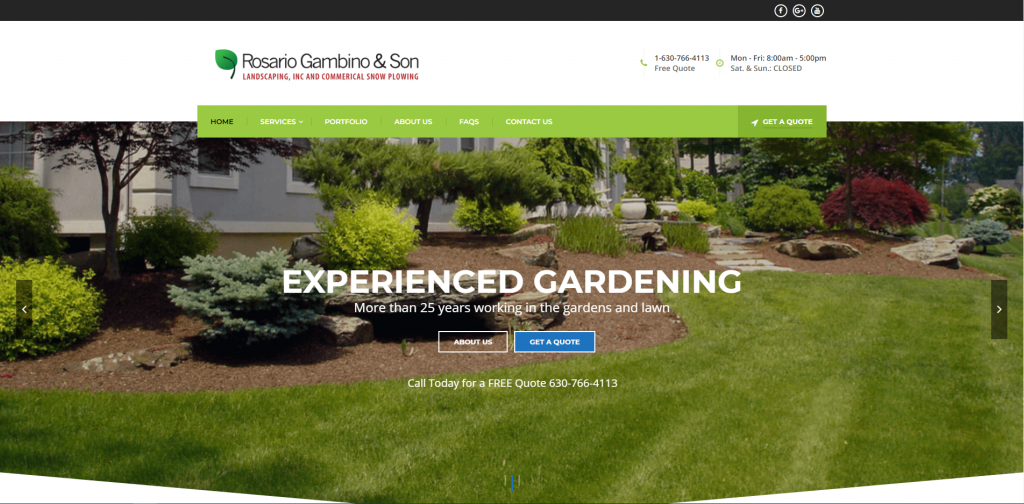
1. Rosario Gambino & Son
Why We Chose RGS Landscaping
RGS puts the practical details in the header bar and keeps them there: hours, phone number, and a free-quote link sit above every page. Below that, the home page works through services, past projects, credentials, and reviews in sequence, so a visitor can stop wherever they have enough to call.
Key Design Highlights:
- Hours and Phone in the Header Bar: The top strip lists the phone number alongside actual business hours – Monday through Friday, 8:00 to 5:00, closed weekends. Publishing the hours rather than just the number sets expectations before someone dials, which saves a call that would have gone unanswered on a Saturday.
- Project Gallery Labeled by Suburb: The portfolio thumbnails name the town each job was done in – Itasca, Downers Grove, Oak Brook, Glenview, Norridge – instead of using generic titles. A homeowner scanning for proof gets to see work done near them, and the labels do double duty for local search.
- “Why Choose Us” Accordion with Specifics: The expandable section skips the usual vague claims and commits to details: GPS tracking on the vehicles to keep crews on schedule, General Liability and Workers’ Comp coverage, and free consultations that come with a firm quote and a design rendering rather than a rough estimate. Collapsing it keeps five substantive points from turning into a wall of copy.
- Testimonials Tagged by Service: Each review is labeled with the job it came from – paver patio, mulch and topsoil, fall clean-up, sod replacement – and links out to the Yelp, Google, or Angie’s List page it was posted on. Sorting the praise by service lets someone find feedback about the work they’re actually considering, and the outbound links make it checkable.
2. Gardens of Babylon
Why We Chose Gardens of Babylon
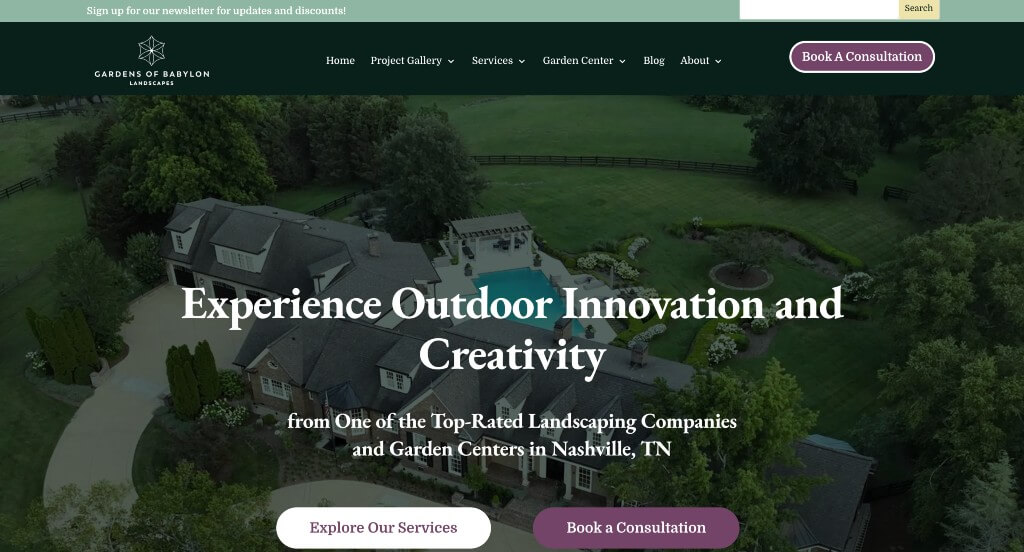
Gardens of Babylon pairs a plant-forward, photo-heavy look with straightforward ways to get in touch. The result works for someone still gathering ideas and for someone ready to book, without the page feeling split between the two.
Key Design Highlights:
- Two Ways to Reach Them Above the Fold: A “Book a Consultation” button sits in the header and again in the hero, with the phone number and an invitation to call or text right beside it. Whether a visitor wants to schedule online or just send a quick message, they don’t have to scroll to find the option.
- Local Project Photography: The gallery section pulls from work done around Nashville – pool patios, garden paths, commercial grounds – rather than stock imagery. Seeing real properties from the same area makes it easier for a homeowner to picture the company’s style on their own street.
- Service Tiles with Custom Icons: Nine service categories are laid out as tiles, each with its own icon and a short description, covering everything from landscape architecture to pools to pickleball courts to the garden center. The visual sorting lets someone find the one thing they came for without reading through the whole list.
- “A Seamless Process” Walkthrough: A seven-step section runs from first contact through final walkthrough, naming what happens at each stage – an investment guide with price ranges, 2D and 3D renderings, a start date within 48 hours of signing, a plant health check after installation. Laying out the sequence in advance takes the guesswork out of hiring a landscaper and sets expectations before anyone picks up the phone.
3. Sullivan’s
Why We Chose Sullivan’s Landscaping Service
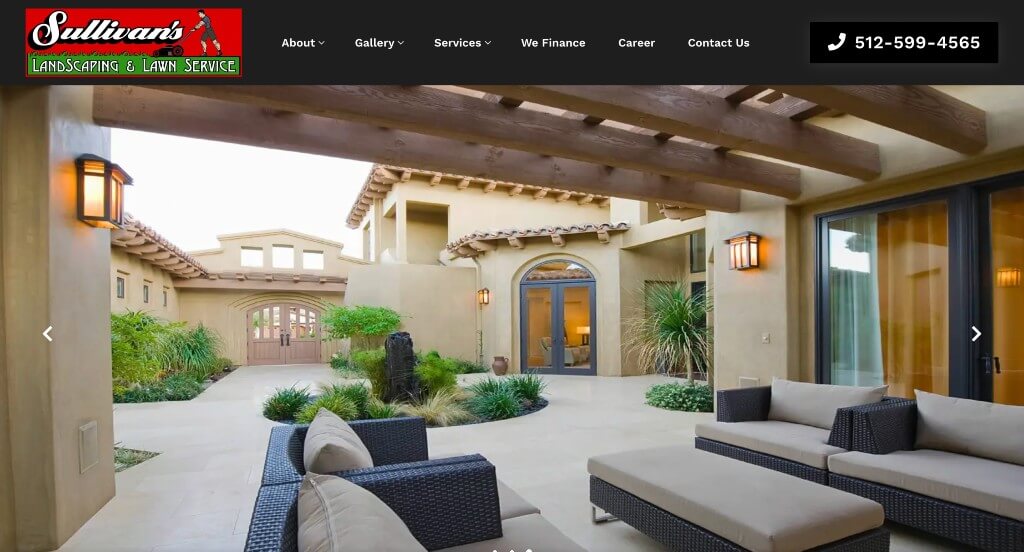
Sullivan’s spells out how a project actually goes before asking anyone to commit. The home page covers what they specialize in, what the steps are, and what past jobs look like, so a homeowner can size up the company without needing a phone call first.
Key Design Highlights:
- Five-Step Process Laid Out: A numbered “Our Process” section runs from the on-site consultation through design, approval, construction, and a final walkthrough. Naming the approval step separately is the useful part – it tells a reader they’ll see and sign off on the full design before anyone starts digging.
- Three Focus Areas: The services are grouped into design and installation, irrigation, and maintenance, each with a short description and its own page. Someone who just needs a sprinkler repaired can tell in a glance that Sullivan’s does that, without wading through a menu of every service they offer.
- Named Projects with Locations: The “Recent Favorites” section gives each project a name and a neighborhood – Cityview in Central East Austin, Terraza in Bouldin Creek, Cosmic Glow in River Place – with a link to the full write-up. Tying work to specific streets and neighborhoods is more convincing than an unlabeled photo grid, especially for a homeowner in one of those areas.
- Phone and Consultation Link in the Header: The number and a “Book a Consultation” button sit together at the top of every page. There’s also a credibility line under the hero – 4.4 stars across 93 reviews, 14+ years in business, licensed and insured – which gives a hesitant visitor a reason to use those buttons.
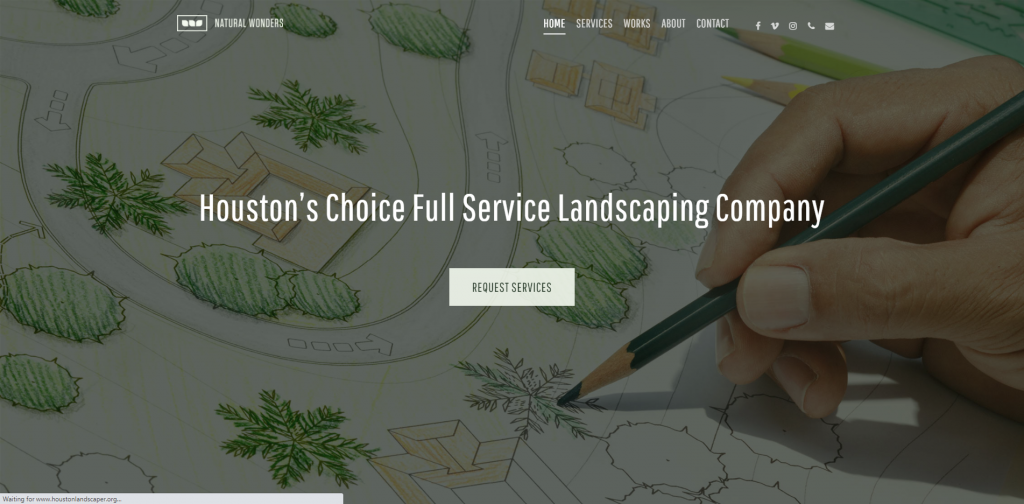
4. Houston Landscaper
Why We Chose Natural Wonders Landscaping
Natural Wonders builds its home page around Houston specifics – the neighborhoods it serves, the soil and drainage conditions it designs for, and a set of FAQs that answer the money questions directly. It reads less like a brochure and more like a company explaining how it works.
Key Design Highlights:
- Neighborhoods Named Throughout: River Oaks, Memorial, The Heights, Bellaire, West University, Montrose, Jersey Village, and Spring Valley each get named, with a dedicated section listing them out. It confirms coverage before someone has to ask, and it gives the site a real footprint in local search results.
- Live Google Review Carousel: A scrolling widget pulls reviews straight from Google – 5 stars across 53 reviews – showing each reviewer’s name, the date, and enough of the text to get the gist. Because it’s pulling live, the dates stay current, which quietly signals the company is still working and still being reviewed.
- Project Videos with a Houzz Link: The work section leads with short Vimeo clips of finished jobs – an artificial turf install, custom stonework, a basket weave brick patio – and links out to the company’s Houzz profile for the full portfolio. Video conveys scale and texture better than a photo, and the outbound link lets a skeptical visitor verify the work somewhere the company doesn’t control.
- FAQ Followed by the Contact Form: The questions cover what most people hesitate to ask: quotes are free inside the normal service area, there may be a fee beyond the Beltway, installation projects run on a 50/40/10 payment schedule, and design mockups are conceptual rather than to scale. Placing the form right after means someone who just had their pricing questions answered doesn’t have to go looking for a way to reach out.
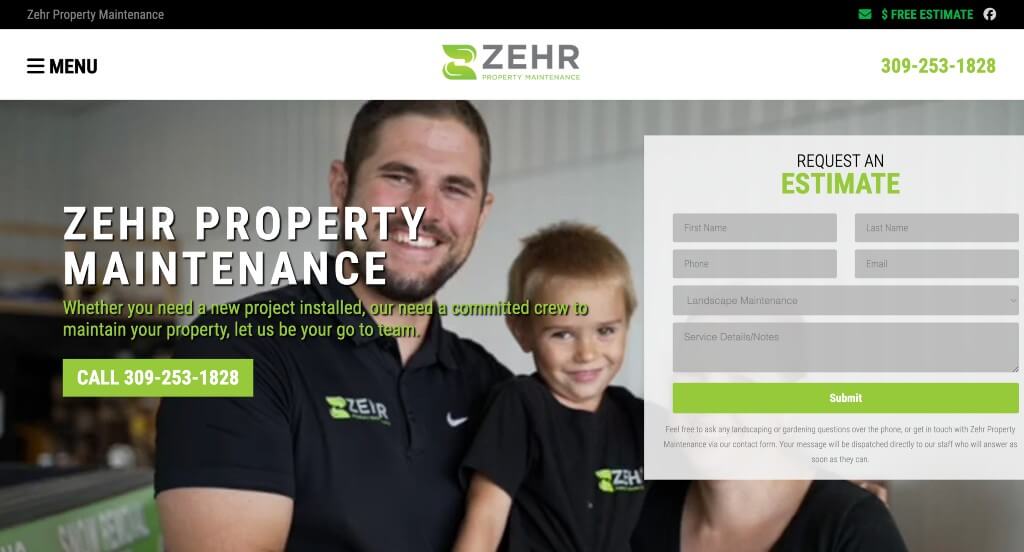
5. ZEHR Property Maintenance
Why We Chose Zehr Property Maintenance
Zehr’s site is built around a single argument: one crew handles the whole property, so the patio, the drainage, and the lawn all get planned together. The layout backs that up with video of the crew working, a full service list, and a service area spelled out down to the ZIP code.
Key Design Highlights:
- Video Hero with the Crew and the Family: The page opens on a looping video of real job sites rather than stock footage, and further down there’s a family portrait with a caption about local ownership. For a regional company competing against national franchises, showing the actual people doing the work is the more persuasive move.
- Twelve Service Tiles with Real Detail: Each tile pairs a photo with a description that names specifics – grade and drainage considerations on the hardscaping tile, base work on paver patios, catch basins and runoff routing on drainage. The descriptions do more than label the service; they show the reader that the company thinks about how the pieces affect each other.
- Cities and ZIP Codes Listed Out: The service area section names ten communities – Washington, Morton, East Peoria, Germantown Hills, Peoria, Dunlap, Metamora, Tremont, Mackinaw, Eureka – each linking to its own page, followed by a list of primary ZIP codes. The ZIP list is unusually precise for a landscaping site and settles the coverage question with no ambiguity.
- Phone Number and Estimate Form Always in Reach: The number sits in the header and again in the hero, with an “Estimate” link alongside it that jumps to a form with a service dropdown already populated. Someone who just scrolled through the gallery and found what they want can name that exact service without describing it from scratch.
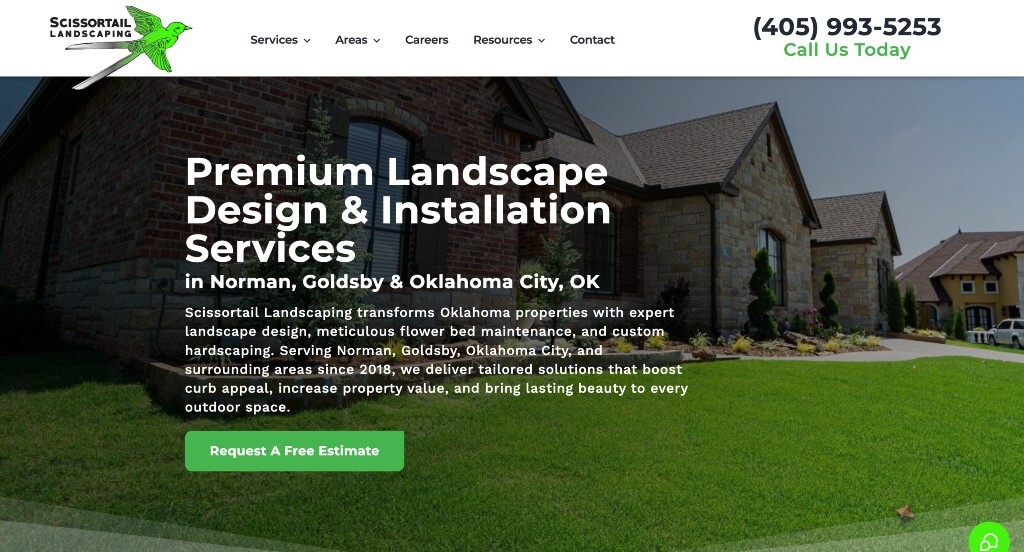
6. Scissortail Landscaping
Why We Chose Scissortail Landscaping
Scissortail leans on its namesake bird and on Oklahoma specifics – clay soil, heavy rain, seasonal swings – to distinguish itself from more generic regional competitors. Drone footage, a fast-loading project gallery, and a named service area do most of the persuading before the copy has to.
Key Design Highlights:
- Drone Video Hero with the Scissortail Overlay: The page opens on aerial footage of a completed property, with the company’s scissortail graphic layered over the top. Drone video shows how a yard actually reads as a whole space, which still photos can’t do, and the overlaid bird keeps the brand present without a logo watermark in the corner.
- Call, Text, and Book Consultation All in the Header: The phone number sits in the top bar labeled “Call or Text,” alongside a “Book Consultation” button that repeats in the hero. Naming texting as an option matters for a homeowner who’d rather fire off a question than commit to a phone call.
- Project Gallery Right Below the Hero: Six project photos appear before any body copy – a front-porch water feature, curved flower beds, a backyard playground install, a pergola beside a pool, a stepping-stone walkway. Leading with range rather than description lets a visitor find something resembling their own yard in the first few seconds.
- “Why Choose Us” Paired with Service-Area Pages: The value section names Oklahoma-specific credentials – local since 2018, family-safe materials, plants chosen for Norman’s climate – while the navigation carries dedicated pages for Norman, Goldsby, Oklahoma City, Edmond, and Deer Creek. Together they answer both of the questions a visitor is actually weighing: whether the work is good, and whether it’s available where they live.

7. Cutting Edge Landscape
Why We Chose Cutting Edge Landscape
Cutting Edge writes for property managers and facility teams, not homeowners, and the site is organized accordingly. Counters establish scale, an interactive property graphic shows the breadth of what one vendor can cover, and the service tiles sort by contract type rather than by yard feature.
Key Design Highlights:
- Counters That Establish Scale: A stats band tallies team members, properties serviced, square feet maintained, and years in business, with the numbers counting up as the section comes into view. For a facility manager weighing whether a vendor can handle a multi-site portfolio, capacity is the first question, and this answers it before any sales conversation.
- Interactive Property Diagram: An illustrated commercial site – parking lot, building, landscaped areas – anchors a set of clickable categories that expand into full service lists: irrigation startup and winterization, ADA compliance striping, spider barrier pest applications, drive-thru power washing, roof snow clearing. Mapping services onto a picture of a property makes the range concrete in a way a bulleted list wouldn’t, and it quietly makes the case for consolidating vendors.
- Five Service Tiles Sorted by Contract: The “What We Do” section splits into maintenance, design and construction, snow and ice, parking lot and asphalt, and an additional-services catch-all, each with a photo and a short scope description. The categories match how commercial contracts are actually bid, so a manager shopping one line item can go straight to it.
- “Who We Serve” by Property Type: Nine property categories are named outright – office, industrial, retail and mixed use, multifamily, hospitality, healthcare, senior living, government, HOAs. Naming the property type is a form of proof for a commercial audience, since a healthcare campus and a retail center have genuinely different expectations, and seeing your own category listed suggests the crews have done it before.
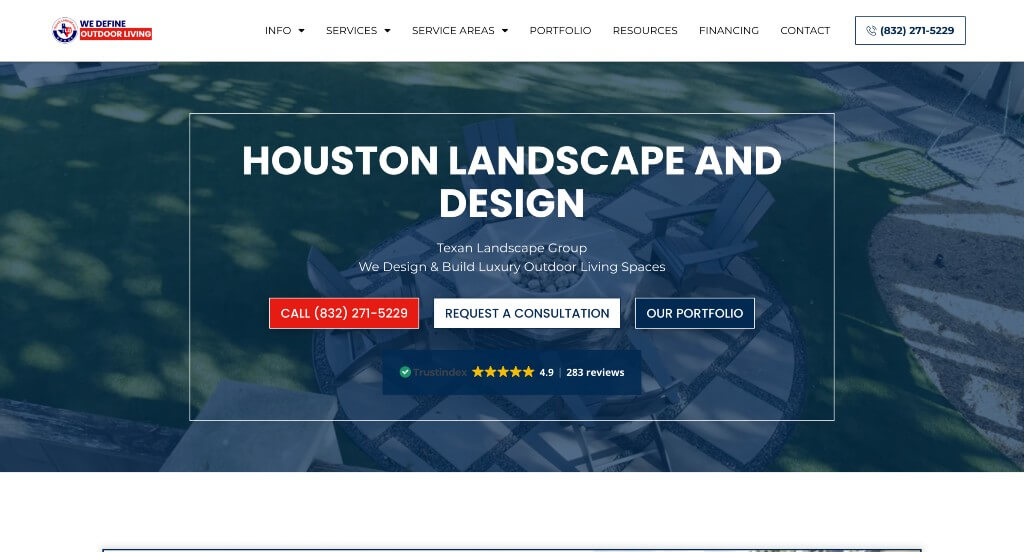
8. Texan Landscape Group
Why We Chose Texan Landscape Group
Texan Landscape Group builds its home page around proof – video from real clients, live Google reviews, award badges that link out to the platforms that issued them. The layout stays compact by putting services in a horizontal slider rather than a long stack, and the intake form does real qualifying work before anyone picks up the phone.
Key Design Highlights:
- Video Testimonials Alongside a Google Review Slider: Client videos run in the testimonials section, with a live-pulling Google review widget nearby and a full reviews page linked in the navigation. Video carries specifics that a five-star rating can’t – what the yard looked like before, how the crew handled a problem – and pairing it with a review count covers both depth and volume.
- Horizontal Services Slider with Property-Type Tabs: Nine services scroll sideways – artificial turf, landscape design, lighting, patio covers, paver patios, pool design, putting greens, sod, athletic courts – filtered by tabs for single family, townhomes, and commercial. The slider keeps a long list from eating the page, and the tabs let a townhome owner skip past the things that don’t apply to their lot.
- Consultation Form That Asks About Budget: The intake form collects the usual contact details, then adds a timeline question and a budget dropdown running from $4,000 to over $1,000,000 across nineteen brackets. Naming a floor that high is a deliberate filter, and it saves both sides the consultation that ends when the number comes up.
- Neighborhoods Listed by Name: Twenty-one areas are named on the home page – River Oaks, Memorial, Tanglewood, West University Place, Piney Point Village, Bellaire, Hunter’s Creek Village, Carlton Woods and more – with dedicated pages for several. The list settles the coverage question at a glance, and the specific neighborhoods named signal the price tier the company works in.
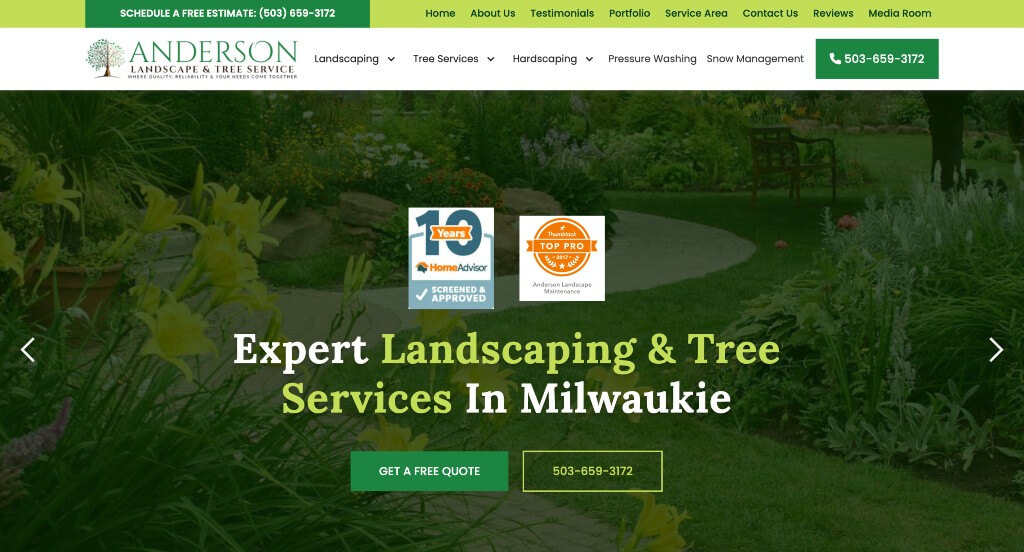
9. Anderson
Why We Chose Anderson Landscape & Tree Service
Anderson keeps the home page focused on what a homeowner needs to decide: what the work looks like, what other people say about it, where the crews go, and how to get a number. The quote section stands out for explaining how the estimate actually happens rather than just collecting a name and email.
Key Design Highlights:
- Live Google Review Feed: A scrolling review widget pulls current feedback directly onto the home page, backed by a stats band claiming 20+ years and 100+ five-star reviews, plus HomeAdvisor and Thumbtack badges that link out to those profiles. Pulling live means the section stays current on its own, and the outbound links let a cautious visitor verify the rating somewhere the company doesn’t control.
- Before-and-During Project Gallery: The “See Our Work in Action” section shows completed jobs including sequences from the same project at different stages – during and after shots from a single build. Progress images are more convincing than a finished photo alone, since they show the scope of what was actually torn out and rebuilt.
- Quote Form That Explains the Estimate Process: Alongside the form, the page lays out two ways to get a number: a drive-by, where an estimator visits without you present and emails the estimate, or a scheduled meeting to walk the property together. It also names payment options up front – major cards, PayPal, cash, check, invoicing after completion, and a customer portal for approving estimates. Offering the drive-by option removes the scheduling hurdle for someone who just wants a ballpark figure without taking an afternoon off.
- Services and Service Area Both Spelled Out: Four service categories sit near the top – landscaping, tree services, hardscaping, snow management – with a full alphabetical list of roughly 45 individual services further down, from moss treatment to wind sail reduction. Sixteen communities are named across the Portland metro, from Beaverton and Tigard to Oregon City and Lake Oswego, each with its own page. Between the two lists, a visitor can confirm both that the specific job is offered and that the crews come to their town.
Landscaping WordPress Themes
You can find free themes at wordpress.org or explore landscaping-inspired templates on ThemeForest.
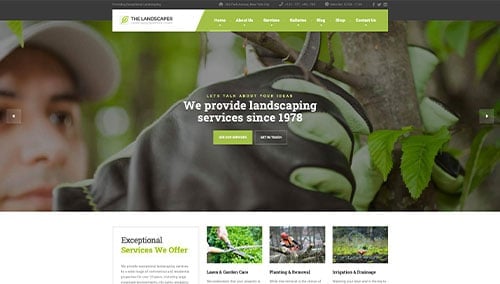
The Landscaper – Themeforest
$59
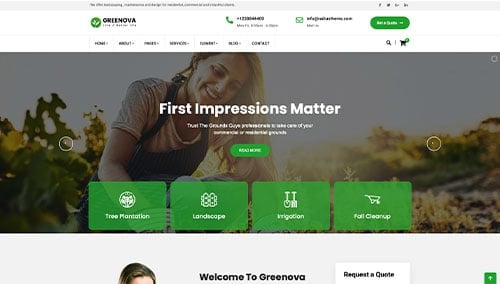
Greennova – Themeforest
$39
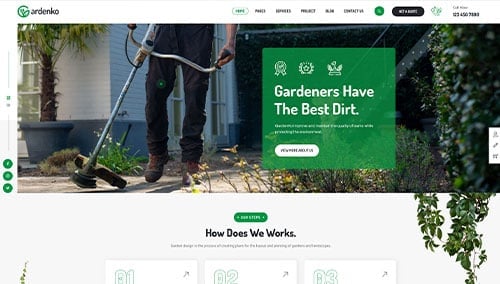
Gardenko – Themeforest
$59
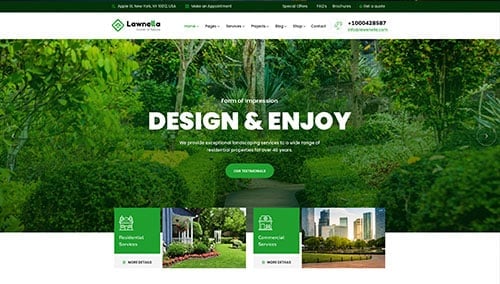
Lawnella – Themeforest
$59
WooCommerce Landscaping Themes
There are plenty of ecommerce landscaping themes for WooCommerce available on ThemeForest.
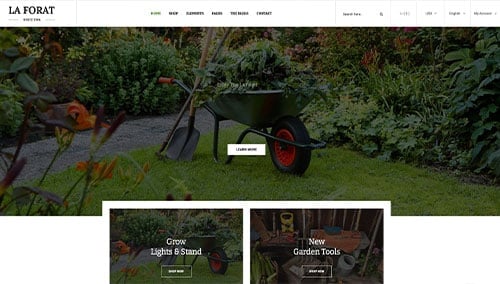
LaForat – Themeforest
$59
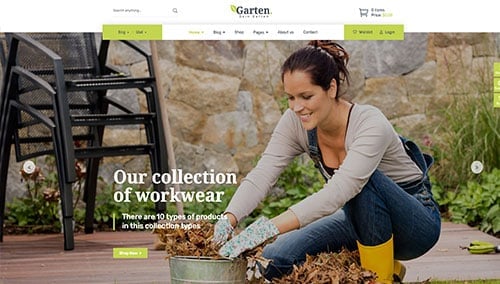
Garten – Themeforest
$110
Shopify Landscaping Themes
You can find free and paid themes at themes.shopify.com or explore options through marketplaces like ThemeForest.
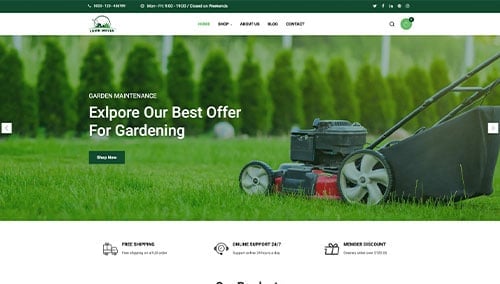
Lawn Mover – Themeforest
$58
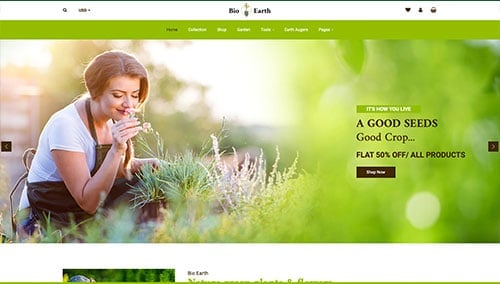
BioEarth – Themeforest
$59