The product page is the most critical real estate in your entire e-commerce ecosystem. It is the final destination of the customer journey where browsers are converted into buyers. To succeed in 2026, a product page must do more than just display an image and a price; it must provide a tactile, persuasive, and frictionless experience that mirrors a physical product interaction.
Our e-commerce strategy team analyzed hundreds of storefronts to identify the top examples that master the science of the Product Detail Page (PDP). We evaluated these selections based on conversion-centric layout architecture, immersive media integration (AR/360-view), and the strategic use of social proof. These pages represent the gold standard for balancing high-resolution aesthetics with rapid-fire performance.
Whether you are looking to lower your cart abandonment rates or elevate your brand’s storytelling, these examples provide the ultimate blueprint for high-conversion product pages.
Note on Our Selection Process: We recently audited this list to prioritize sites that master mobile-first product interaction and Core Web Vital optimization. This curated list focuses on the top product page designs providing the most strategic value in 2026.
Top 10 Product Page Layouts
1. Groove Life
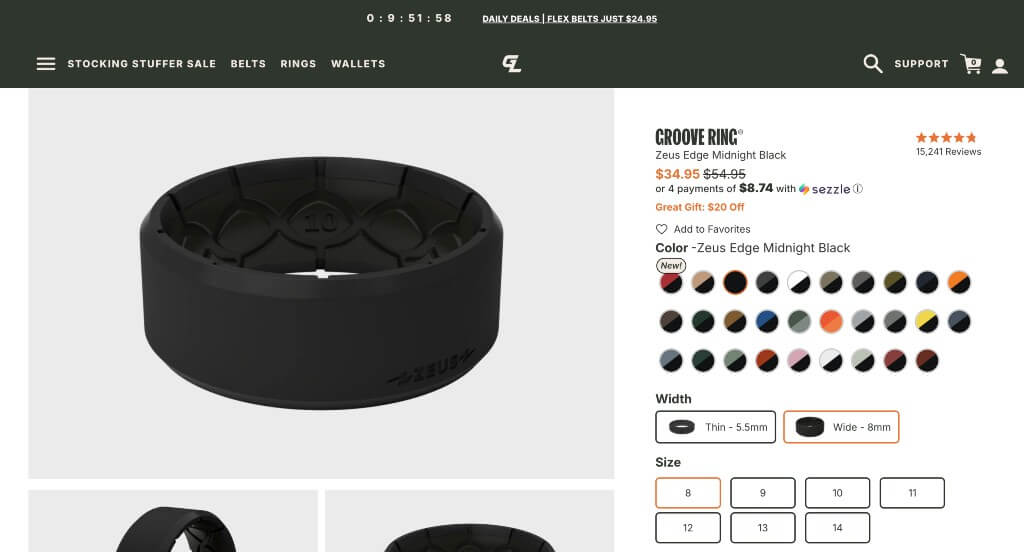
What We Liked
- Easy solution to find out your ring size.
- Great social pressure (Instragram feed, reviews)
- Description is easily digestable.
What We Didn’t Like
- Could use a sticky “Buy Now” button on desktop
- Doesn’t use any upsell techniques
- An uneven design
2. FIGS
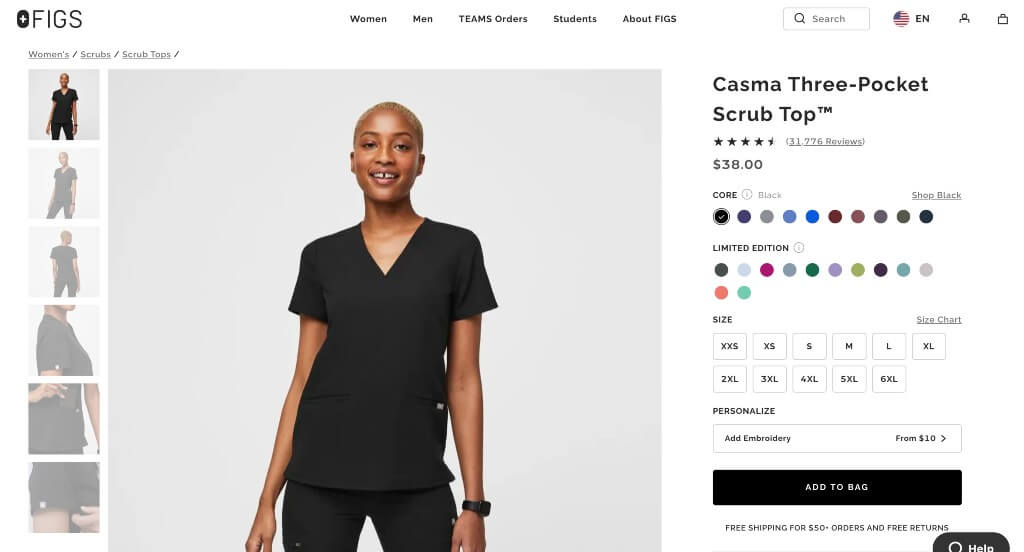
What We Liked
- Relaxing color scheme for the page
- Lots of color options for each product
- Including products to complete a set
What We Didn’t Like
- More information could be found if viewers scrolled
- Hidden taxes and shipping fees
- Reviews don’t provide much information
3. Decked
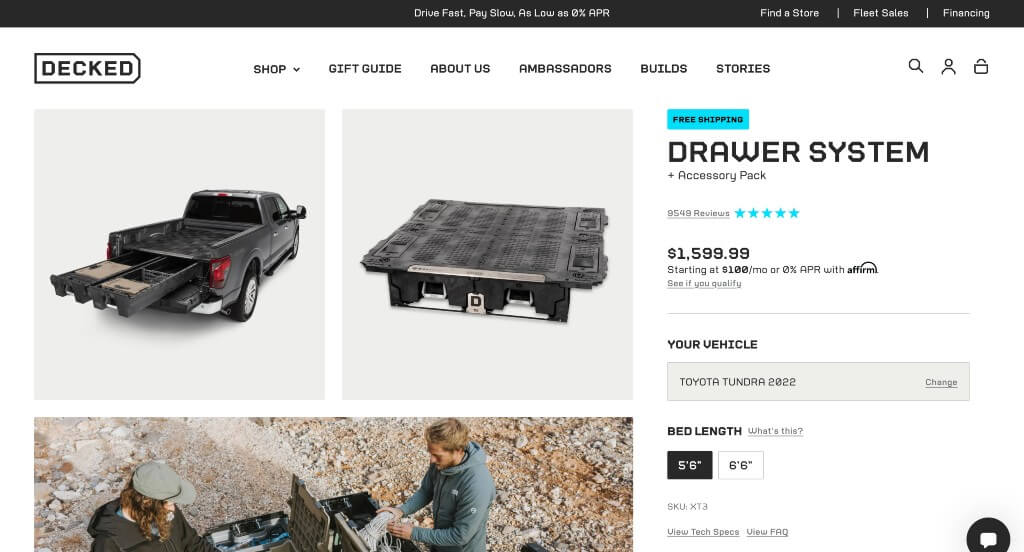
What We Liked
- Good sense of community among buyers with great social proof
- Typography fits the brand’s voice with icons to match
- Images enhance the overall look
What We Didn’t Like
- Large white space by the FAQ
- Contact info is harder to find
- Lacks any sticky header, “Buy Now” button, or way to jump to the top
4. Nanoleaf
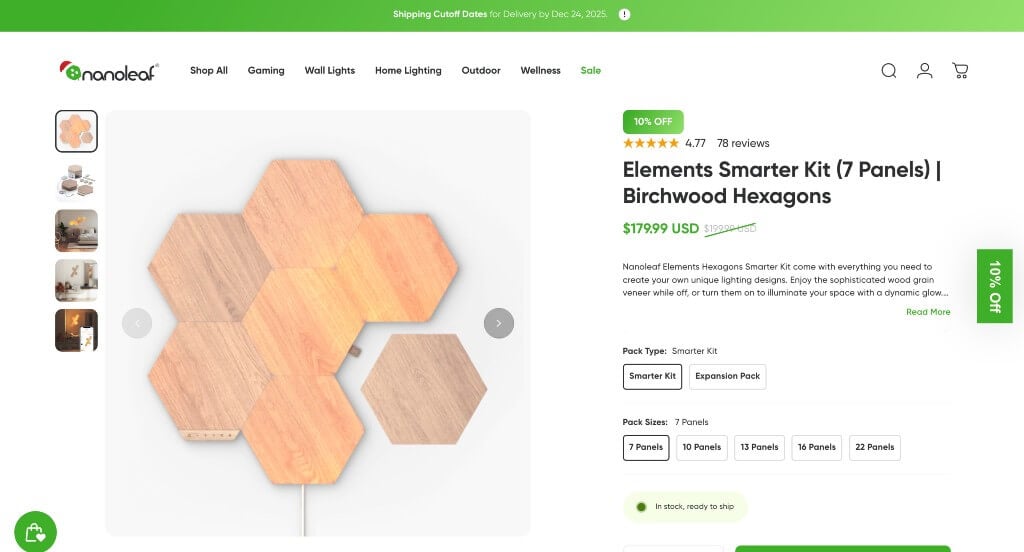
What We Liked
- Awesome scroll animation above the fold
- Excellent story building through images
- Including graphics into the template
What We Didn’t Like
- Only one video – would be nice if it played automatically
- Logo design was really small and hard to notice
- No price listed until it’s in their cart
5. Bang & Olufsen
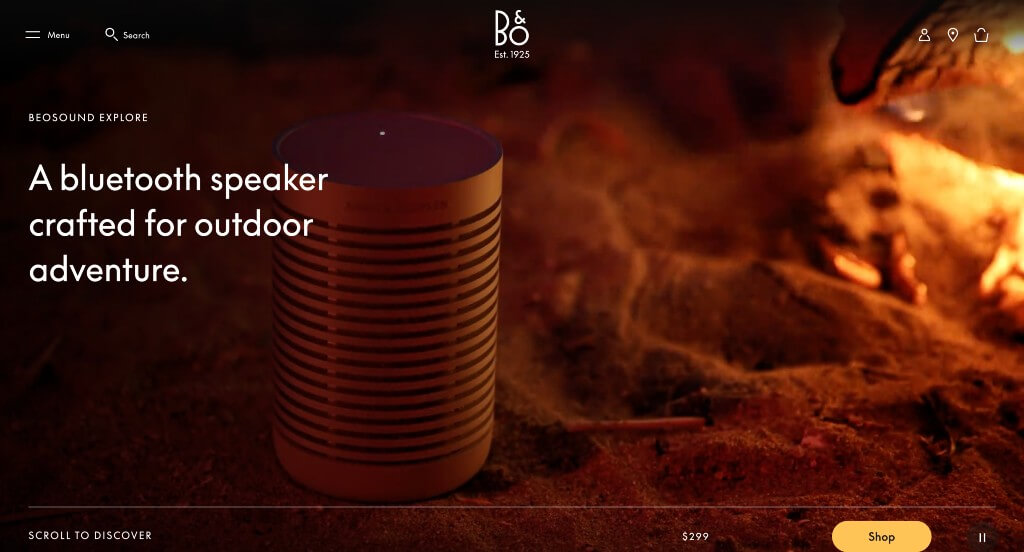
What We Liked
- Social proof from experts
- Short and to the point paragraphs
- Awesome photos and videos of their product
What We Didn’t Like
- Too much white space with small font makes it seem like there isn’t enough information
- No “on-page” FAQ
- No customer reviews
6. SodaStream
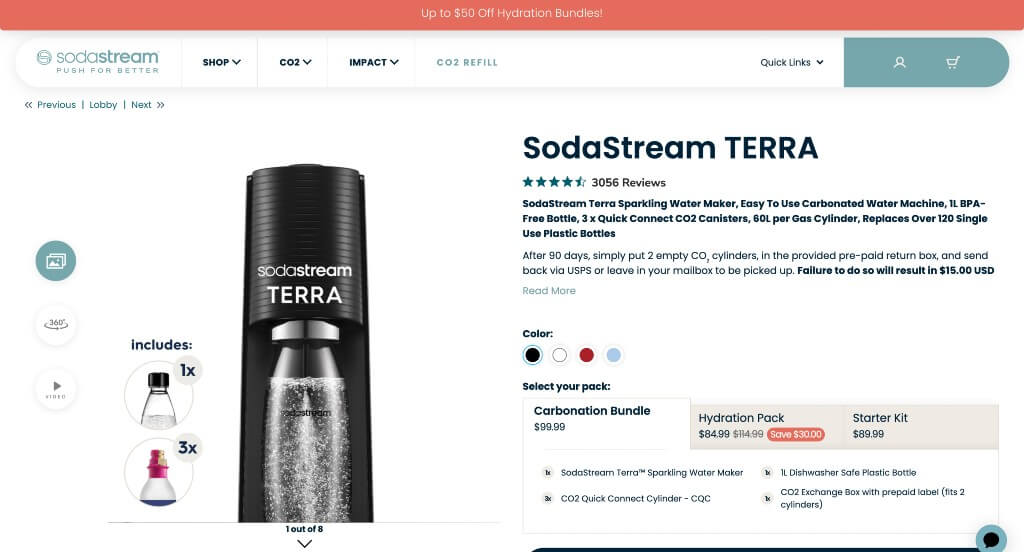
What We Liked
- Images show exactly what you’ll be purchasing and how it works
- “Other Sparkling Water Makers” section
- Inclusion of videos was a great choice
What We Didn’t Like
- Excessive white space
- Reasoning why customers should buy their product isn’t easily noticed
- Price is listed in smaller font making it hard to notice
7. Holstee
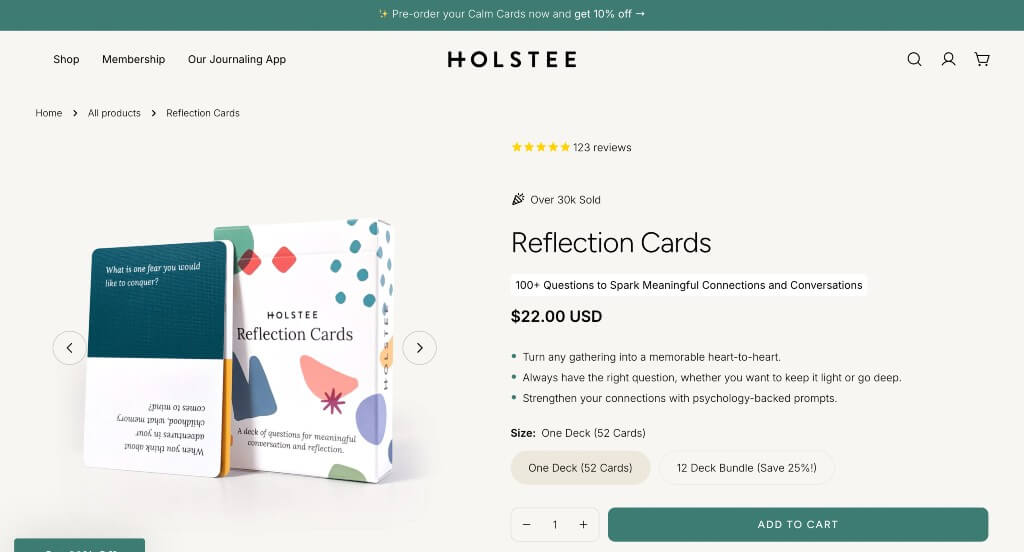
What We Liked
- Blueish green accent used on buttons
- Bullet points highlighting reasons customers love this product
- Includes products that pair well with this one
What We Didn’t Like
- Customer review section could look more professional
- Font could be more interesting
- Accent color doesn’t continue past the beginning of the page
8. Hiya Health
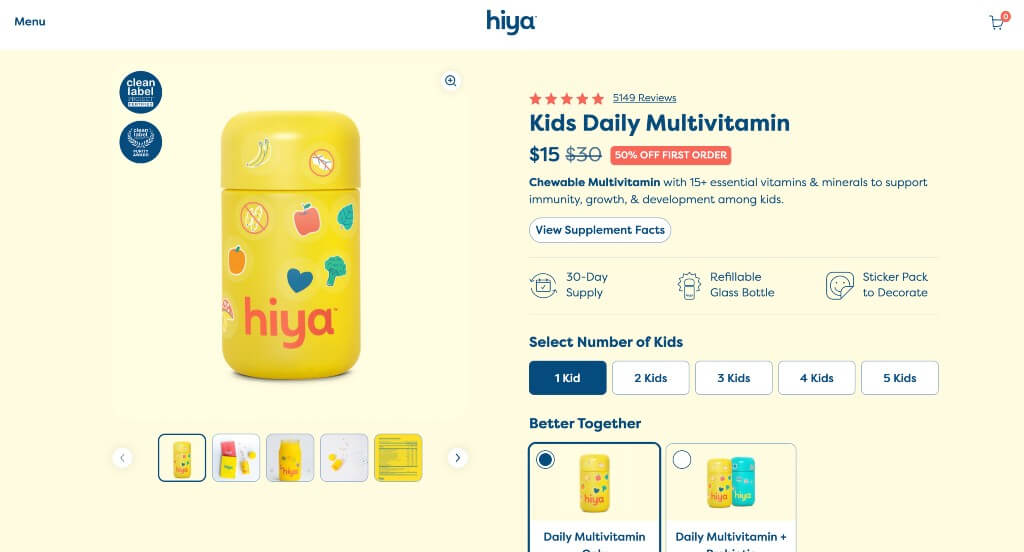
What We Liked
- Background color seems to match their product package
- Cute but professional graphics
- Showing that their price changes depending on how many kids
What We Didn’t Like
- Two areas of customer reviews
- Colors sometimes get overwhelming
- Occasionally there was wasted white space
9. UgMonk
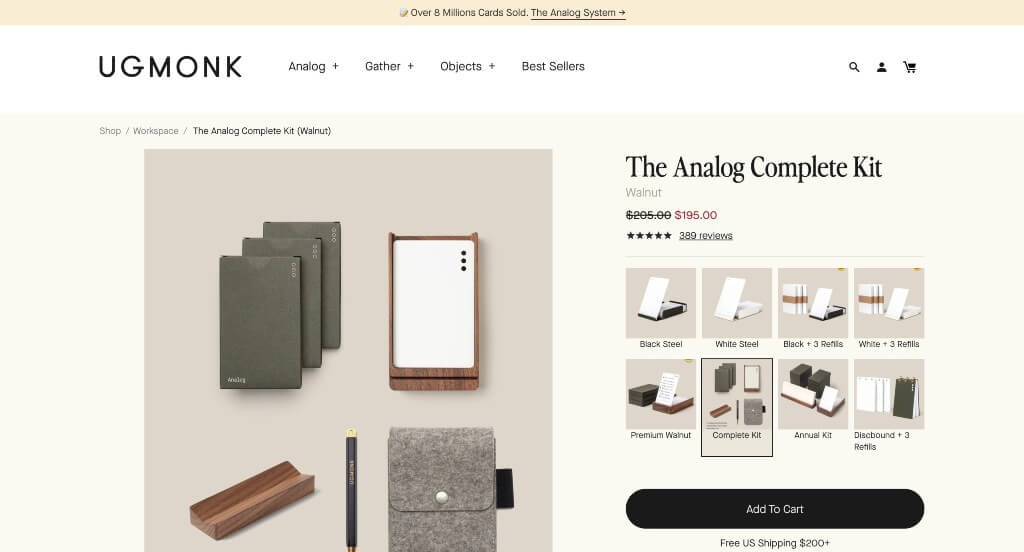
What We Liked
- Involving many gifs, creates a unique look
- The overall look creates a feel of old-time journalism
- The creative card look for their customer reviews
What We Didn’t Like
- White space could be utilized better
- Though the vibe of the site matched their company, we didn’t like how sometimes accent colors were blue, sometimes green and sometimes yellow because the accents don’t create a harmony with each other
- We do think that images could have been placed in a more pleasing layout such as an alternating design
10. Love Wellness
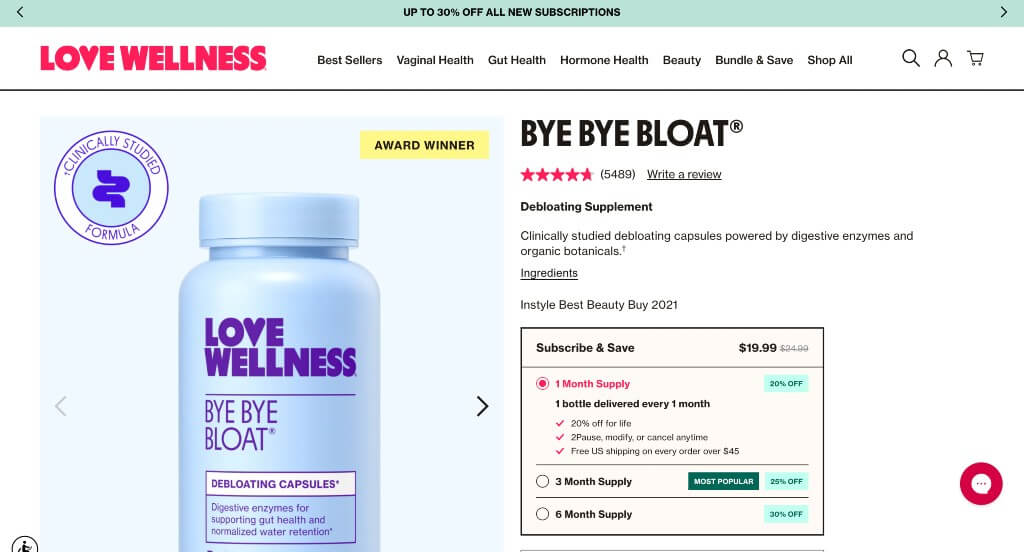
What We Liked
- Logo design was unique and professional
- Accent colors brought attention to sales and other things
- Allowing purchase by month or just one time
What We Didn’t Like
- Content sometimes feels squished
- Buttons aren’t the same size
- Could use a more interesting font
Building the Perfect Product Page
Your product page’s purpose is to sell your product and meet visitor expectations. With the average person in the US spending nearly seven hours and fifty minutes per day, visitors will scrutinize their experience like a sommelier critiques wine. They can easily distinguish between a good and bad website experience.
Your product page should meet visitor expectations, offer a seamless user experience, and include unique elements to keep them coming back.
Meeting user expectations can be challenging if you’re unsure what they want. That’s why we’ve created a guide with best and worst practices for designing your product page to engage users and boost your conversion rate.
Best Practices for Ecommerce Product Page Design
We’ve compiled a list of essential features and concepts to create brilliant product pages and enhance your visitors’ experience when used tastefully.
- Clean URL
- Captivating name
- Straightforward pricing
- Attractive Call to Actions
- Item availability
- Distinct product options
- Quality product pictures including multiple camera angles, situations, and models
- Comparison to similar products
- “Favorites/wishlist” button
- FAQ section
- Zoom functionality
- Augmented reality
- 360° view
- Vivid product descriptions
- Live chat feature
- A mixture of product and lifestyle media for story narration
- Responsive design
- Relevant “related products” section
- Ability to increase the quantity of product
- Size/fit guide (if applicable)
- Seamless navigation
- Intuitive filter options
- Sticky “Back to Top” button
- Highly accessible to differently-abled users
- Upfront shipping and return policies
- Sticky “Add to Cart” or “Buy Now” buttons
- Social proof
- Extended details (materials, technical specs, dimensions, weight, special features, etc.
- No redundancy
- A spacious and interesting font
- Quick load times
- Dark mode friendly
Beware of feature creep, where too many unnecessary features harm the user experience. For instance, augmented reality might not help a toothpick company but would benefit a furniture seller. Evaluate which features enhance your product without overcrowding your page.
What to Avoid When Designing Product Pages
When implementing good practices, avoid distracting ones. These range from confusing users with hyperlink blue for normal text to more malicious actions like sneaking unwanted items into a cart.
- Too many colors
- Convoluted price
- Inconsistent design
- Bait and switch tactics
- Hidden fees
- Too long/too short or copied description
- Inconsistent product names
- False guarantees
- Recommend non-relevant products
- Burying call to actions
- Small & poor quality images, videos, gifs
- Negative reviews
- Reoccuring pop-ups
- Confirmshaming
- Sneaking items into customer’s cart
- Unclear navigation
- Compact font
- Busy negative space
- No FAQ
- No social proof